
- The context cleanup guide
- The Setup
- 1. The starting price of a model
- Same file, different cost
- 2. The system prompt itself carries a snapshot of your git status
- 3. Duplicate MCP Servers
- 4. The ToolSearch myth I walked into
- 5. Does the old context get resent
- Stay curious
A one-word message to a coding agent should be nearly free, but it usually isn’t, and this post is my attempt at accounting for the difference. It started with a one-line question from a colleague, who asked why his context was filling up so fast, even with a plain hi, and included a screenshot to back it up. The thread that followed had more than thirty replies, several other people reporting the exact same thing, and a couple of competing theories about the cause. Another colleague had already written up a genuinely useful “clean up your context” guide for his own team a few days earlier, and he dropped it into the thread: his own real /context breakdown, plus working settings.json snippets for moving skills to user-invocable-only and disabling plugins he didn’t need day-to-day. I have inlined that guide below, it has some of the best hygiene advice I have seen.
The context cleanup guide
This is the cleanup guide a colleague shared with his team, inlined here in full because it’s genuinely useful hygiene advice for anyone running Claude Code day to day.
MANDATORY: Team, take time today to look at your context and clean it up
What I want you to do.
From inside the project that you work in, open a new Claude Code session.
Type
Hi. Then type/context.You should be able to see what has loaded into your context just with that one single message and one
/contextcommand.Mine shows up at 25.2k/200k tokens (13%).
- System prompt: 2.4k tokens (1.2%)
- System tools: 13.6k tokens (6.8%)
- Memory files: 6.8k tokens (3.4%)
- Skills: 451 tokens (0.2%)
- Messages: 1.9k tokens (0.9%)
- Free space: 174.8k (87.4%)
You cannot do anything about System prompt or System tools. But you can tune your memory files and skills.
For Skills:
- You do not need auto invocation of most of your skills. You usually invoke them by hand by typing
/skill-name. Move those skills to user-invocable-only.
- Go to
~/.claude/settings.jsonand addskillOverrides. Snippet below.- You can only do this for skills that live in your codebase. For plugin-based skills you cannot do that. For those, disable the plugin entirely if you don’t need it day to day. I don’t need every plugin on my Claude Code for day-to-day development tasks. When needed, I enable it and then disable it again after use.
- I only keep one or two skills auto-invocable, like a database explorer and an API testing skill.
"skillOverrides": {
  "code-review": "user-invocable-only",
  "team:dev-workflow": "user-invocable-only",
  "team:issue-tracker": "user-invocable-only",
  "project-module:references:column-addition-guide": "user-invocable-only",
  "project-module:references:api-contracts": "user-invocable-only",
  "project-module:references:architecture": "user-invocable-only",
  "project-module:references:runbook": "user-invocable-only",
  "project-module": "user-invocable-only"
}
For memory files:
- Turn off auto-memory if you don’t need it, and remove your memory file altogether.
- Type
/memoryand toggle auto-memory off. Delete the file, which should be at a path like~/.claude/projects/-your-project-path/memory/MEMORY.md.- If you do find it useful, clean up your memory file. Most memory captures relate to a particular task or skill. Better to move that into a skill improvement rather than keep it in your own memory. My memory file is 3.9k, which I will be cleaning up today.
Project context:
- I reduced one of my project memory files earlier this month, from around 5-6k down to 1.5k tokens. I will be reducing it further in coming weeks.
- If you’re on different projects, aim to reduce the bloat from the default project
CLAUDE.md. Make sure the instructions lazy-load reference material rather than load everything upfront.
I jumped into the thread too: I said MCP tools load on demand and can’t cause bloat unless you actually use them. A third colleague pushed back with the sharper question underneath that: Claude still has to hold a list of every available MCP tool somewhere so it can decide what to call, so doesn’t maintaining that list carry some cost too, even before anything is invoked? Yes, agreed, but I was still not convinced that the list of tools alone could cause such a bloat. I decided to run an experiment to see it in action.
The Setup
I leaned on /context, which gives you a token breakdown per session. I ran a bunch of clean sessions and changed one thing at a time: different models, different working trees, different MCP servers connected. Most of it ran headless with claude -p, using --session-id to pin a session and --resume to add turns to it when I needed a multi-turn test. I used Claude Code 2.1.199 for my experiments. This experiment isn’t a quality comparison. I am only counting tokens here, not judging which model answers better.
1. The starting price of a model
Before any MCP server, any project file, or any prompt of your own, an empty session already has a fixed cost, and that fixed cost depends heavily on which model you are using.
Baseline: empty directory, before a single real message
| Model | Window | System prompt | System tools | System tools (deferred) | Custom agents | Memory files | Skills | Messages | Total |
|---|---|---|---|---|---|---|---|---|---|
| claude-opus-4-8 | 1M | 2.1k | 7.1k | 14k | 438 | 363 | 8.1k | 1.3k | 19.4k |
| claude-fable-5 | 1M | 3.4k | 7.1k | 14k | 438 | 363 | 8.1k | 1.3k | 20.7k |
| claude-sonnet-5 | 967K | 8.6k | 12.3k | 15.9k | 438 | 363 | 8.1k | 1.3k | 31.1k |
| claude-opus-4-7 | 1M | 8.7k | 12.7k | 22.4k | 453 | 368 | 8.1k | 1.3k | 31.5k |
| claude-sonnet-4-6 | 200K | 6.3k | 13k | 14k | 327 | 240 | 2k | 895 | 22.8k |
| claude-opus-4-6 | 200K | 6.3k | 13.6k | 14.3k | 327 | 240 | 2k | 895 | 23.3k |
| claude-sonnet-4-5 | 200K | 6.3k | 13.6k | 14.3k | 327 | 240 | 2k | 895 | 23.3k |
| claude-opus-4-5 | 200K | 6.3k | 13.6k | 14.3k | 327 | 240 | 2k | 895 | 23.3k |
| claude-haiku-4-5 | 200K | 6.3k | 13.6k | 14.3k | 327 | 240 | 2k | 895 | 23.3k |
The nine models don’t line up as a simple “old versus new” gradient. They collapse into three profiles, and within each profile every row is identical except for the System prompt line (colored by group in the table above). Opus 4.8 and Fable 5 share the lightest one. Sonnet 5 and Opus 4.7 share a second, heavier profile at roughly the same window size. The five older IDs (Sonnet 4.5/4.6, Opus 4.5/4.6, Haiku 4.5) all fall onto a third, smaller-window fallback profile, identical to one another down to the token.
I have seen it claimed on X that Fable has trimmed its system prompt because it can tune itself. My numbers say the opposite: Fable’s system prompt (3.4k) is larger than Opus 4.8’s (2.1k), not smaller.
Same file, different cost
Look at the Memory files column in the table above: the identical ~/.claude/CLAUDE.md file reads as 363 tokens for the top two rows and 240 tokens for the bottom five; nothing about the file itself changed, only the tokenizer reading it did. The difference in the Skills column is harder to explain. The 8.1k to 2k gap is 4x, too big to be a counting artifact, and my hunch is that the older profiles load only skill names rather than full skill content. I haven’t verified that one yet.
2. The system prompt itself carries a snapshot of your git status
Run the same model from an empty directory versus from a real live repository, and the “System prompt” line moves, not because the prompt text changes, but because Claude Code captures a live git status and git log snippet and includes it in that section. I figured this out accidentally:
| Directory state | System prompt |
|---|---|
| No git repo at all | 2.0k |
| Freshly initialized repo, one empty commit | 2.1k |
| Synthetic repo, 25 untracked files plus one long draft doc | 2.3k |
| Actual project root, real working tree | 2.6k |
The trend is real and monotonic: it climbs in step with however much is sitting untracked or uncommitted in the tree, from a clean baseline of 2.0k up to 2.6k on our own repo’s usual spread of in-progress files. A project’s CLAUDE.md doesn’t live in this line at all; it shows up as its own row under “Memory files,” separate from the git-driven system prompt cost.
3. Duplicate MCP Servers
A colleague ran into this later in the same thread. He uses MCP servers in two ways: via official plugins in the Claude Code CLI and via Claude connectors from the Claude Enterprise plan. Once Claude Code CLI was wired up to Claude Enterprise, both copies started appearing in the same CLI session.
- Locally configured servers: anything in
.mcp.json, project or user settings, or plugin-provided servers. I could turn them off by setting--mcp-config/--strict-mcp-configon the CLI. - Claude Enterprise / Claude account connectors: fetched unconditionally from the Anthropic API on every startup, regardless of what you pass to
--mcp-config. I could turn this off usingENABLE_CLAUDEAI_MCP_SERVERS=false.
4. The ToolSearch myth I walked into
My take on the thread was that MCP tools load on demand, so I didn’t expect them to bloat a session much until you actually called one. I knew the tool list itself rides along in context; I just didn’t believe that list alone could add up to the numbers people were seeing. One colleague framed it well: Claude has to hold a list of every available tool to decide what to call, so the real question is what that list costs and when.
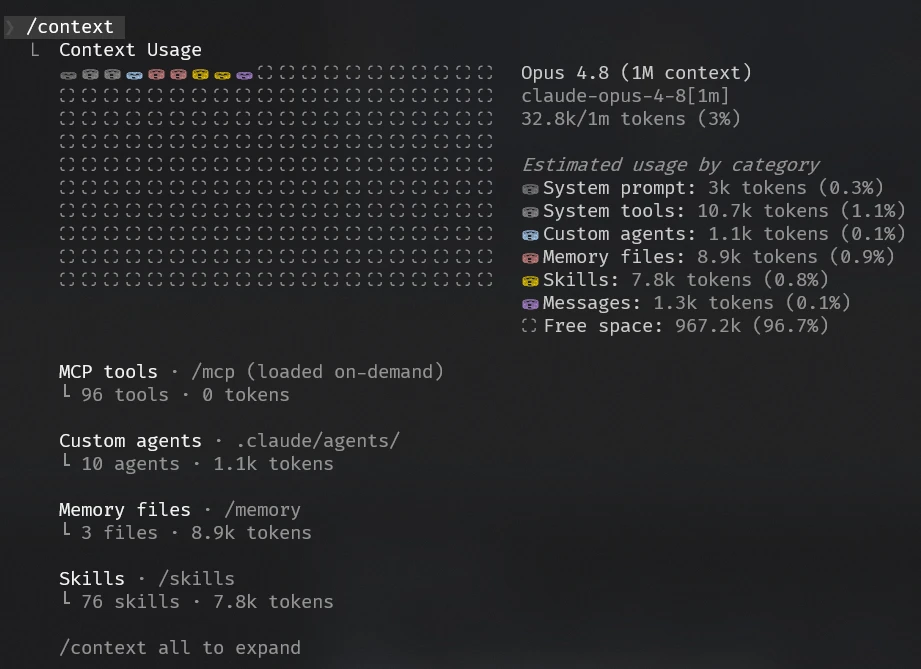
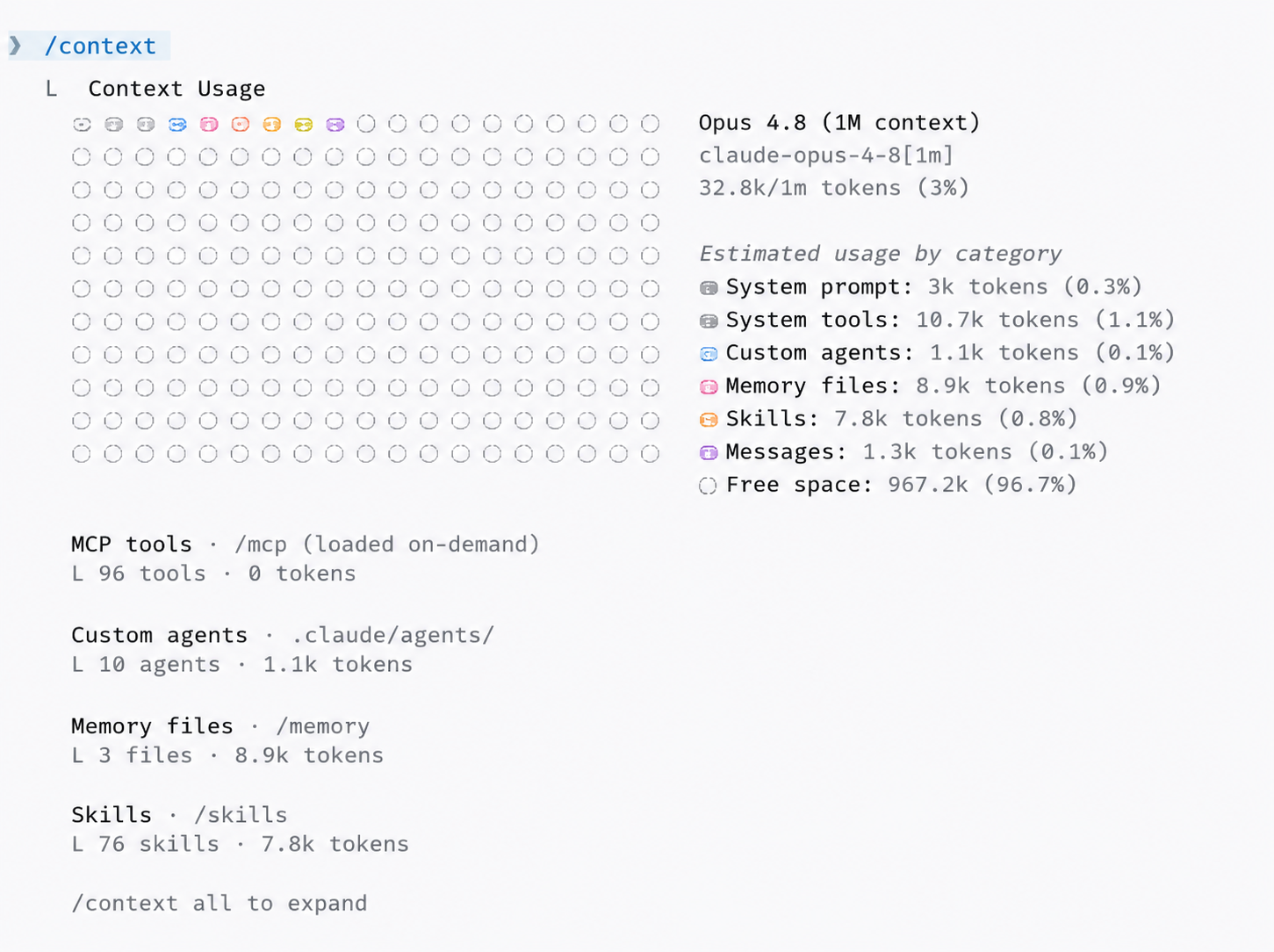
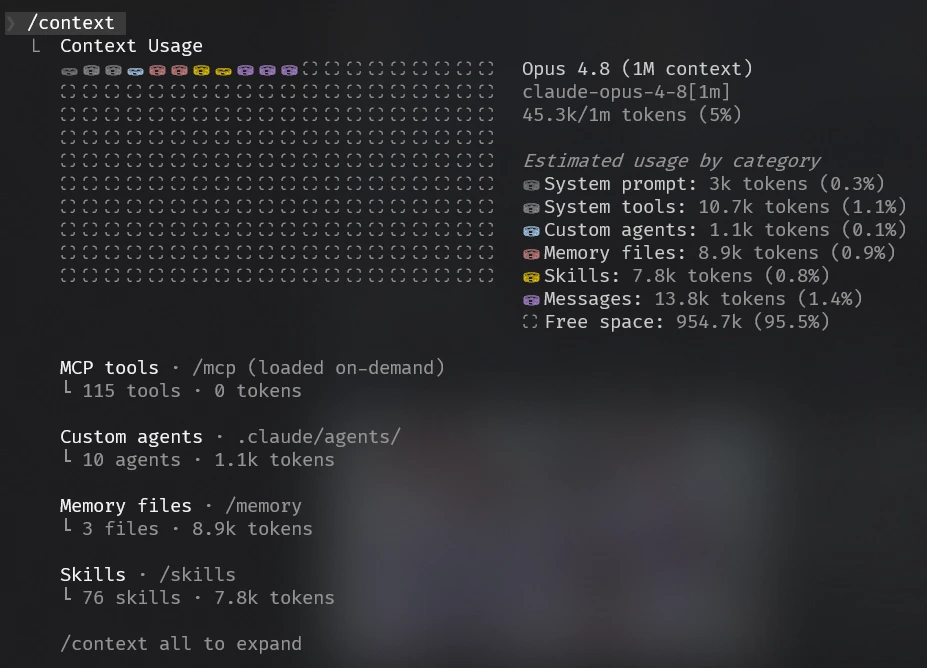
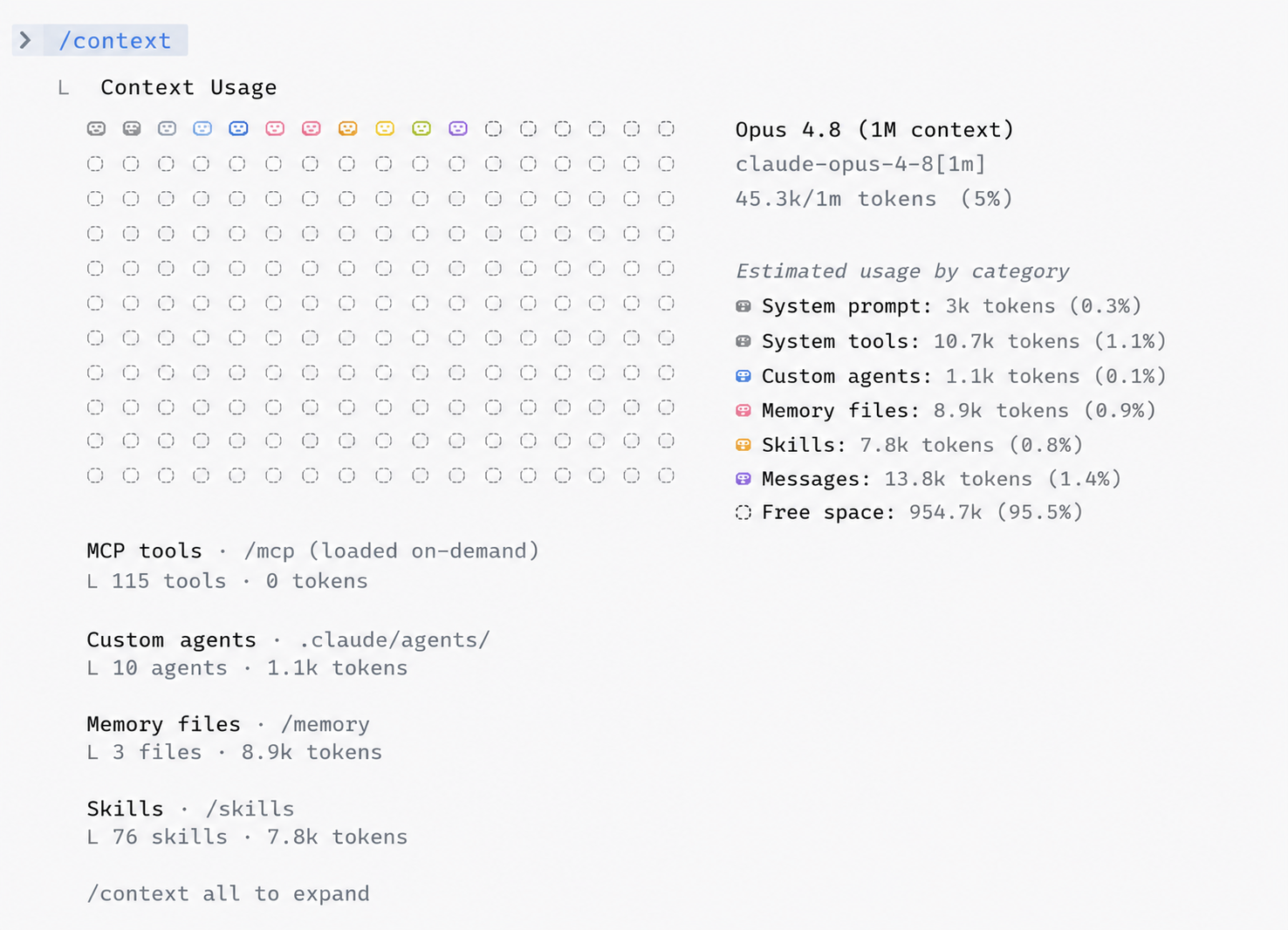
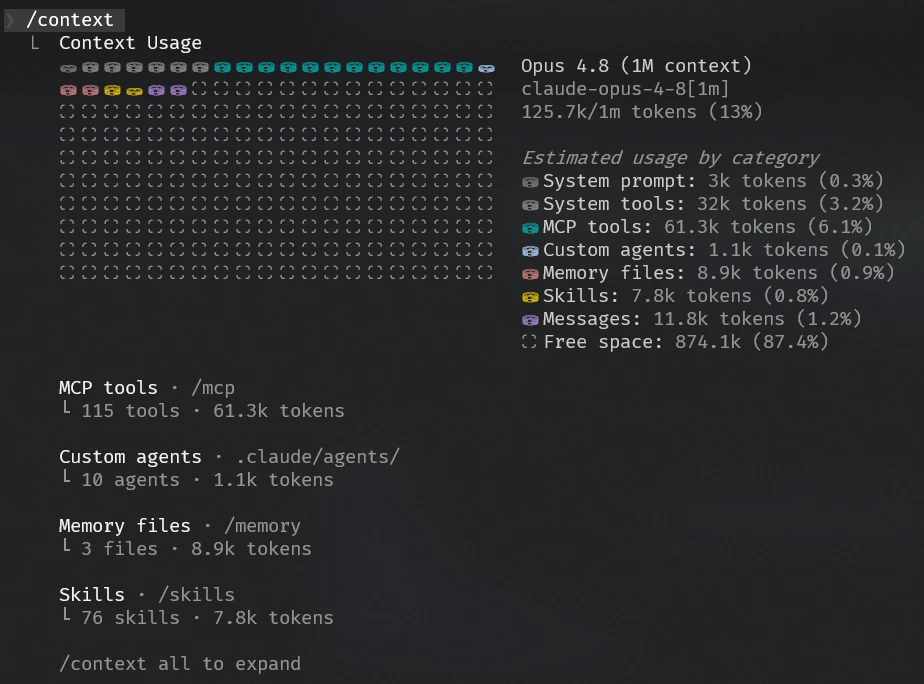
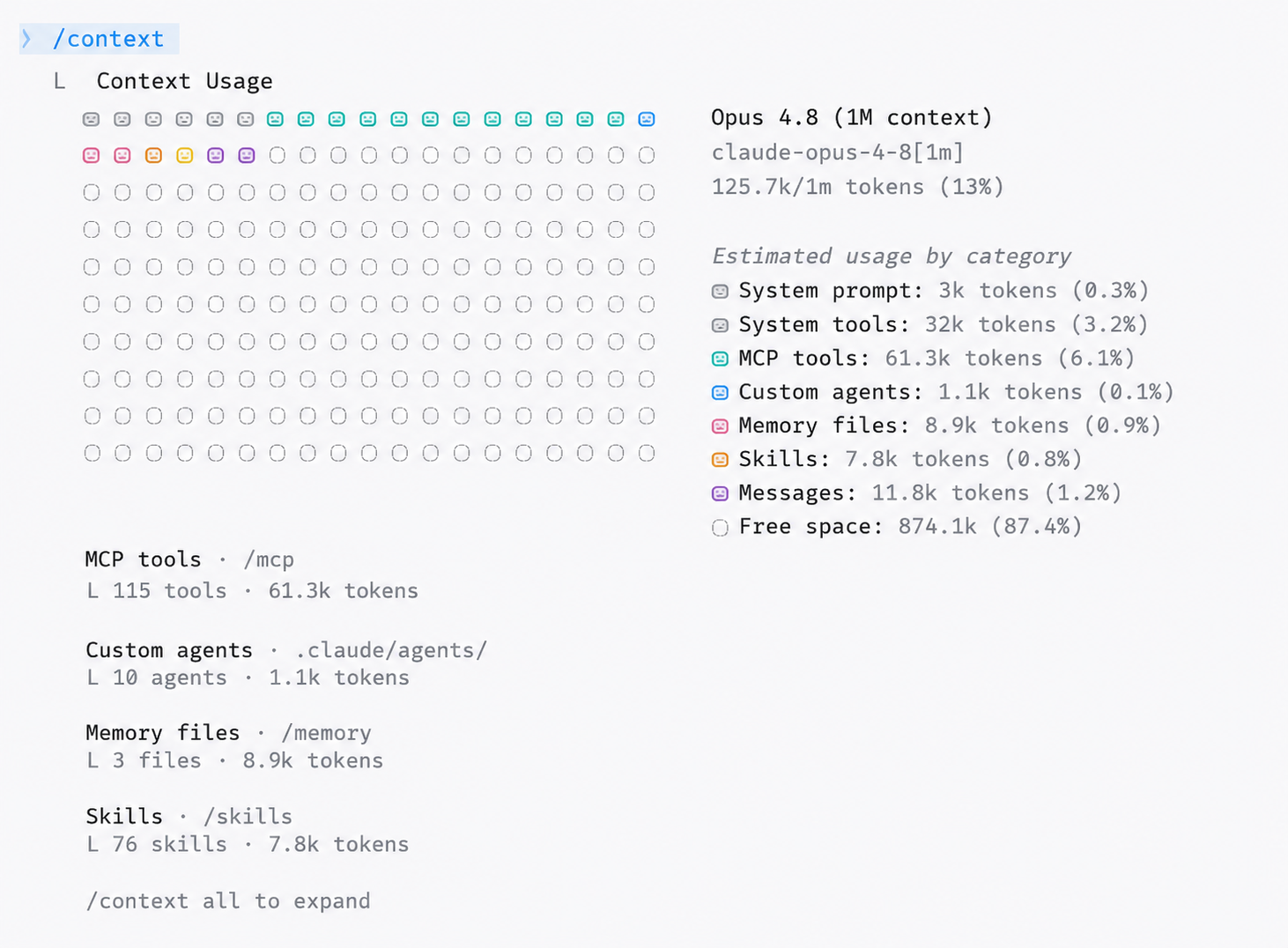
The “when” turned out to be sharp. Before I send anything, /context reads the same 32.8k whether or not MCP is connected (check the image below): every tool’s schema is deferred, sitting in reserve, charged nothing. Connecting more MCP servers doesn’t move that number at all. It costs the moment I send a real turn, even a one-word Hi, because that is the point at which the model has to know which tools exist to decide whether to call one. In the image attached below, you can see that the context jumped to 45.3k with just a hi. The MCP tool list goes into that first context.
The “how much” part depends on the tool search. With it on, the model only needs a name and a short description per tool to make that call, roughly about 12k across my ~220 tools. With it off, there is no lightweight manifest: the full schema for every tool ships up front instead, around 60K tokens of MCP tools plus 22K of System tools, which is what pushes a bare Hi into a bloated first turn. Total context: 45K vs 125K. And it is purely a function of the configured MCP servers.
Deferred loading, the mechanism that’s supposed to keep a connected tool’s schema cheap until it’s actually called, is its own feature, internally named ToolSearch, and it is not on by default for every backend. It’s controlled by the environment variable ENABLE_TOOL_SEARCH (true / false / auto / auto:N), and Claude Code disables it by default on routes where tool search is not supported.
- Amazon Bedrock and any LiteLLM-style proxy: anything that isn’t
api.anthropic.comas theANTHROPIC_BASE_URLis treated as a non-first-party host, and deferred loading is off there unless you explicitly setENABLE_TOOL_SEARCH=true(orauto). The internal log line says as much: “is not a first-party Anthropic host. Set ENABLE_TOOL_SEARCH=true (or auto/auto:N) if your proxy forwards tool_reference blocks.” The disable reason is spelled out verbatim in a string embedded in the CLI binary. - Vertex AI: off unconditionally, because Vertex doesn’t accept the tool-search beta header at all.
- Older model IDs: the mechanism requires a model that supports
tool_referenceblocks (Sonnet 4+, Opus 4+, Haiku 4.5+ and newer), so on anything older, it can’t function regardless of the env var, and every tool schema gets sent eagerly instead.
The original report that started the thread was from the VS Code Claude Code extension, going through an AI gateway, on Sonnet 4.6, which is exactly the kind of routing where deferred loading may not be doing anything at all. A colleague’s numbers, taken later in the thread, showed the same thing happening in stages, on his own real setup:
I checked my own numbers separately with headless CLI runs against the first-party API, reproduced three times with roughly 220 tools connected: 45.3k every time after one real “Hi,” against a 32.8k baseline, whether or not the Claude connectors were enabled. Both sets of numbers point in the same direction: the tool-search flag, not the raw tool count, is the variable that actually explains why two people with similar setups can see wildly different first-turn costs. The thread’s own conclusion, reached live, was the cleanest way to say it: Claude Code turns tool search on by default for direct Anthropic calls, but not for Bedrock or LiteLLM calls. This means that almost all of our engineers are bloating their context with all the MCP tools. 😕
| Step | Context total | Messages |
|---|---|---|
| Claude MCPs connected, ~150 tools | 126k | 113k |
ENABLE_CLAUDEAI_MCP_SERVERS=false | 71k | 58k |
same, plus ENABLE_TOOL_SEARCH=true | 60k | 47k |
5. Does the old context get resent
The Messages API has no server-side memory, so every request resends the full transcript from scratch: system prompt, tools, and every prior turn. Prompt caching changes how cheap and fast it is to reprocess, but it doesn’t change how many tokens count against your context window limit; a cached token is still a token toward the same budget. Running /context repeatedly also adds to that resent history, even though it feels like it should be a free, read-only report.
Stay curious
For the day-to-day hygiene, the “clean up your context” guide from the same thread is the best starting point, settings.json snippets and all, inlined in full above. The one thing I would add on top: explicitly set ENABLE_TOOL_SEARCH=true. It’s the single biggest win here, the one that dropped one colleague’s session to 60k. One switch, and you carry 60k to 100k fewer tokens for every turn.
Turns out a bit of my curiosity ends up saving my employer $$$. My colleagues can thank me for this, but they should never thank their agents. Even that has a price. Welcome to token capitalism!
Methodology: numbers above came from headless claude -p runs (--session-id / --resume to chain turns). The system prompt size did not always match between headless and interactive sessions.
Thinking effort will also change the tokens. I will do a separate post on that.