
- The starting point
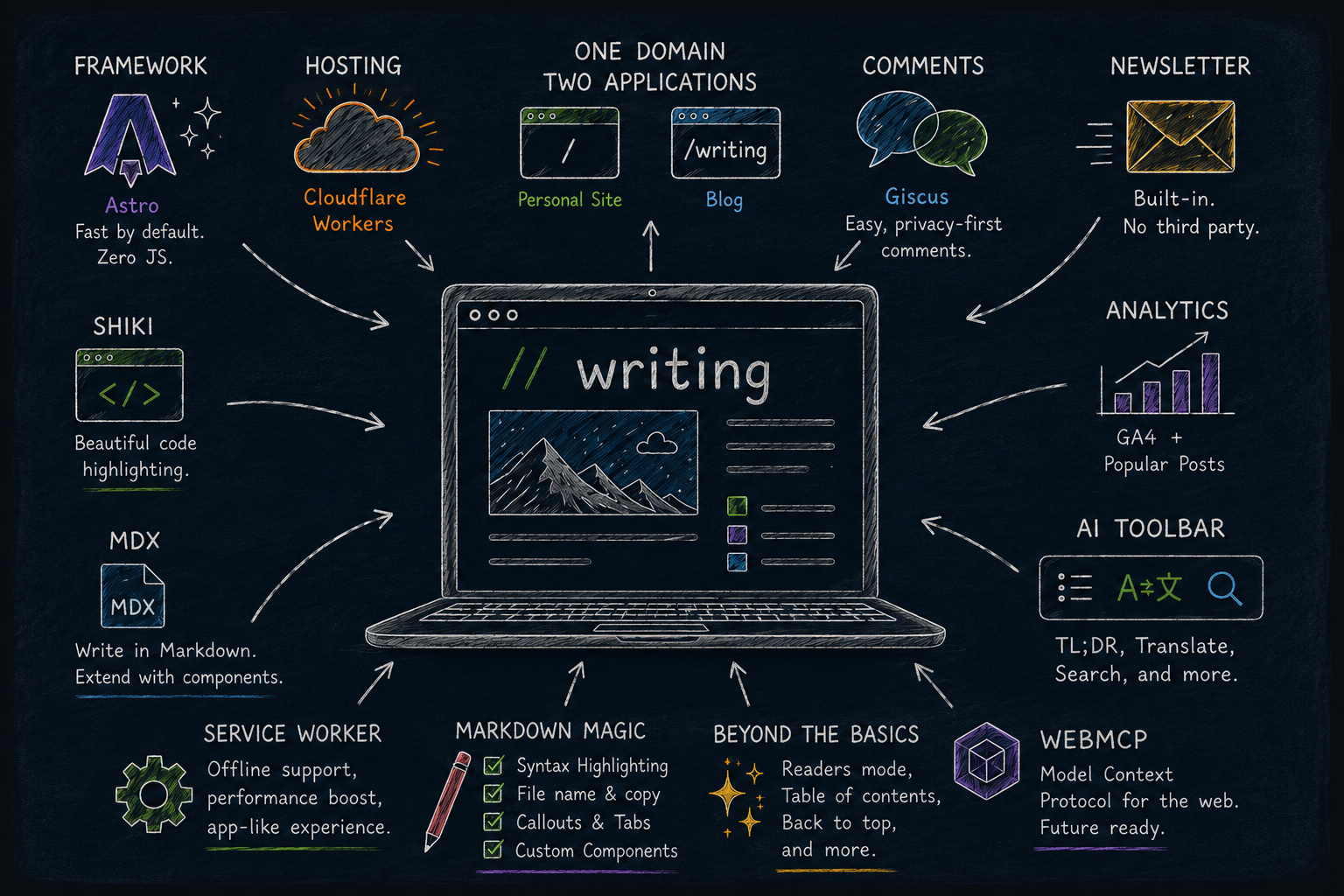
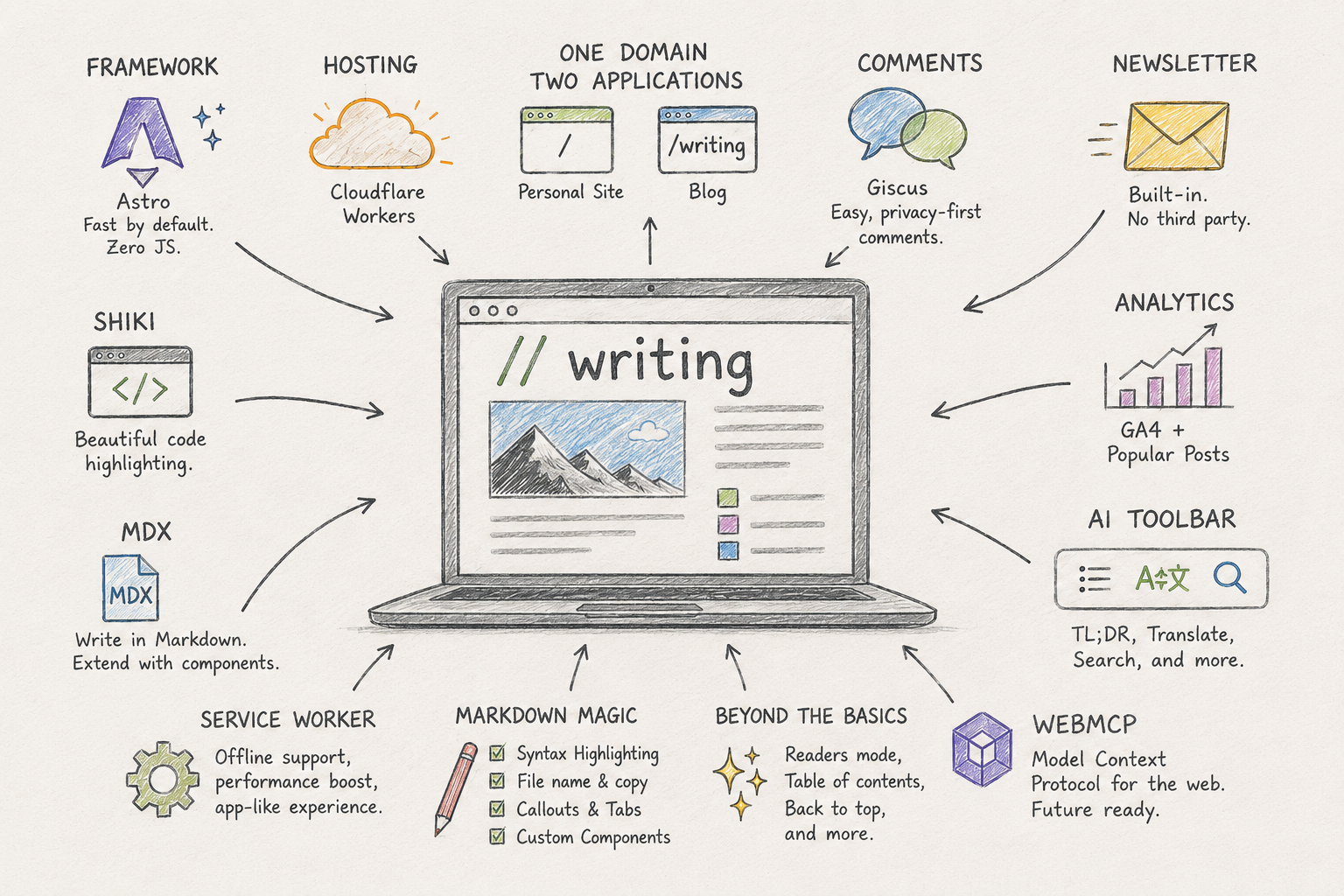
- Framework: Astro over Next.js
- Deployment: One domain, two apps
- Design: minimal, and matched to the main site
- Comments: Picking the right tradeoff
- Newsletter: no hosted platform, no new list to sync
- Analytics: GA4, read in both directions
- Beyond the basics
- WebMCP: Preparing for agentic browsers
- Service worker: Keeping things fresh
- Markdown magic
- Learning by doing
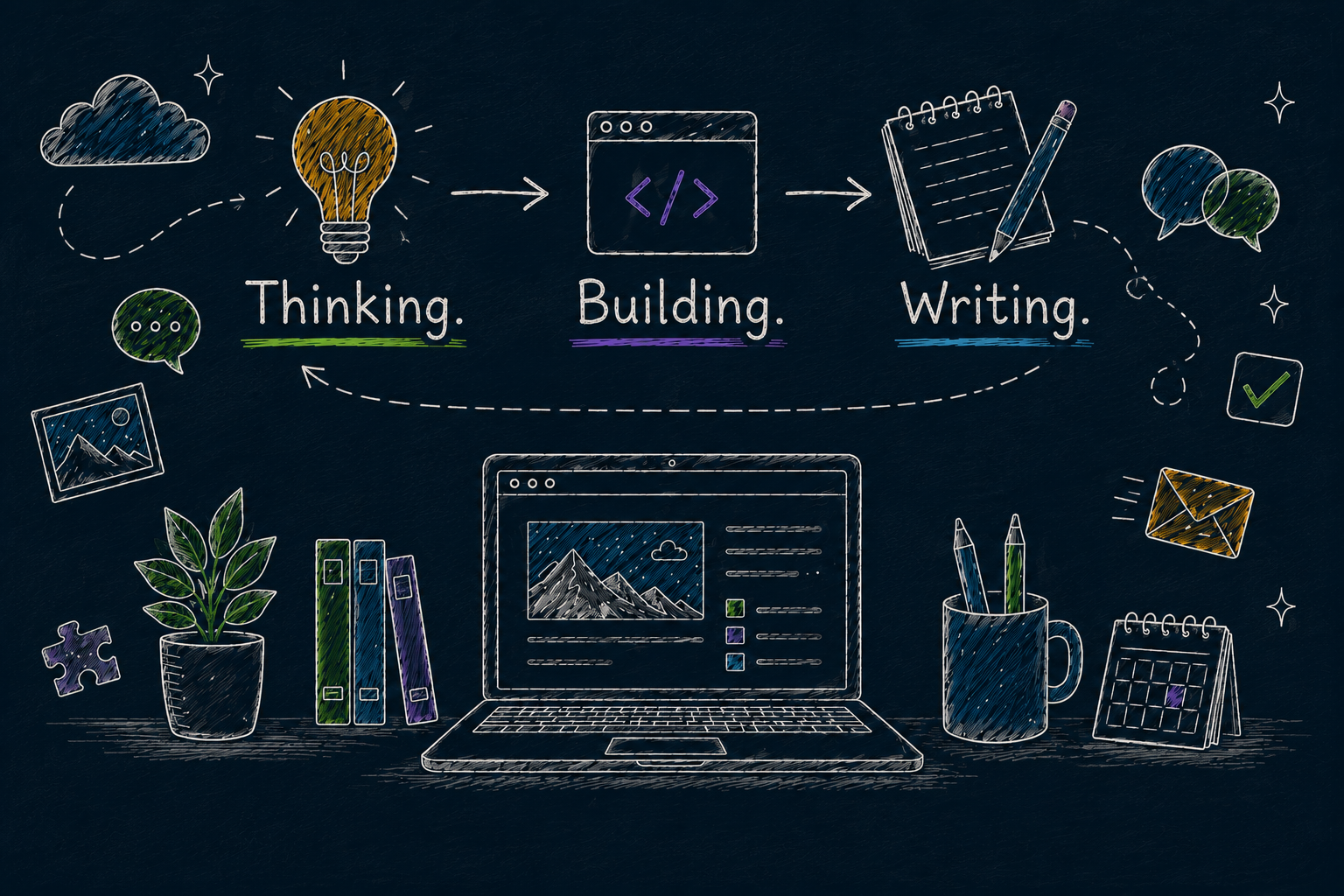
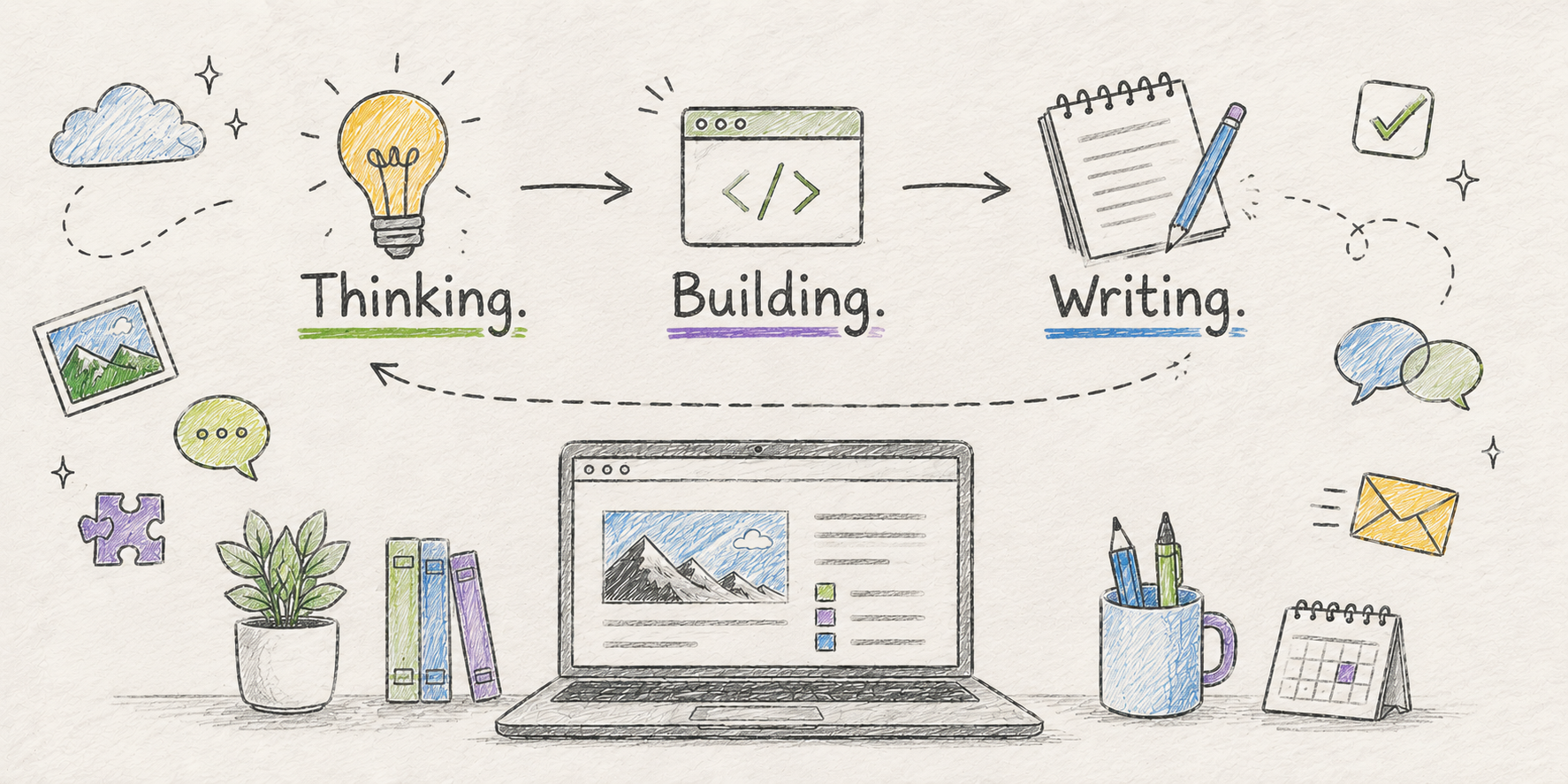
My last blog post was published almost exactly ten years ago. It lived on Blogger/Blogspot, which had served me well for years, but the platform was not evolving while static site generators and self-hosted blogs were becoming increasingly compelling. I had always wanted a blog that I could fully own and customize.
Over the years, I came close more than once. I shortlisted frameworks, collected templates, and spent a few weekends trying to build the “perfect” blog. Every attempt followed the same pattern. Before I had written a single post, I was already deep into decisions about frameworks, styling, hosting, analytics, comments, newsletters, and everything else that somehow felt essential. Eventually, I would abandon the project and tell myself I would come back to it later.
Life moved on too. During those years, I was busy building something far more important: a family. Raising two kids and the demands of work naturally left less room for hobbies that required long, uninterrupted stretches of time. At the same time, Twitter became my default outlet. It was much easier to share an idea in a few minutes than to invest hours building the place where a longer piece would eventually live. Over time, long form writing quietly disappeared from my routine.
Then AI changed the equation.
The biggest difference was not that it wrote code or designed pages. It was that it dramatically reduced the effort needed to get from an idea to a working blog. Exploring frameworks, refining a design, comparing tradeoffs, scaffolding a project, and wiring together the supporting pieces became conversations instead of weekend projects. The barrier to starting became small enough that I could finally focus on the thing I had wanted to do all along: write again. There was another reason I found this project/blog exciting. I wanted the blog itself to be an experiment, a place where I could explore modern web technologies, browser APIs, and AI in ways that would be difficult to justify in a production application. If something interesting emerged, I could write about it on the same platform.
This post is about that journey: the decisions behind the stack, the design, and the workflow that brought https://varunkumar.dev/writing/ to life.
The starting point
My earlier attempts had all started with technology. I would compare frameworks, browse themes, and think about hosting long before I had a clear idea of what I actually wanted to build. Unsurprisingly, those projects rarely made it beyond a few weekends. This time, I deliberately started with purpose. Before choosing a framework or sketching a design, I wanted to answer a much simpler question: what would make me excited to write again?
The answer was surprisingly simple. I wanted a place where I could share things that I found interesting. Some posts would be deeply technical. Others might be about wildlife photography, travel, or something I had learned the hard way. I did not want to optimize for algorithms, engagement, or publishing frequency. I simply wanted a space that felt like my own, where writing was enjoyable again.
I also wanted the blog itself to be part of the journey. It would be a place to experiment with modern web technologies, AI capabilities, and browser APIs. If an idea worked, it could become part of the site. If it did not, I would still learn something along the way.
That exploration happened in ChatGPT. We talked about what the blog should feel like, what pages it needed, how much personality it should have, and just as importantly, what it should leave out. Only after that foundation was in place did the conversation turn to frameworks, technologies, and the decisions that would shape the implementation.
Framework: Astro over Next.js
With the purpose clear, the framework decision became much simpler. The blog would be overwhelmingly static, with just a handful of interactive elements. That immediately ruled out a lot of unnecessary complexity.
| Framework | Why / why not |
|---|---|
| Astro (picked) | Ships zero JS by default. Content collections + MDX are first-class. Islands let me add interactivity only where I actually need it. |
| Next.js | More capable than a blog needs. React runtime overhead for pages that are 95% static prose. |
| Hugo | Fast, mature, and battle-tested, but I wanted the flexibility of the modern JavaScript ecosystem and tighter integration with the tooling I planned to use. |
| Gatsby | The GraphQL data layer adds more complexity than a blog needs, and the ecosystem has been quietly shrinking for years. |
Once Astro was chosen, many of the remaining decisions made themselves. MDX was the natural choice for content, and Shiki integrated seamlessly for syntax highlighting.
Deployment: One domain, two apps
With the framework chosen, the next decision was where to host it. Since my personal site already runs on Cloudflare, I wanted the blog to live there too rather than introducing another platform to manage. I still evaluated a few other options.
| Hosting | Why / why not |
|---|---|
| Cloudflare Workers (picked) | Same platform as the rest of my personal site (varunkumar.dev). One less thing to operate. |
| Vercel | Great DX, but it would mean two hosting providers for one identity. |
| Netlify | Same tradeoff as Vercel, plus one more account and one more billing relationship to track. |
The blog runs as its own Cloudflare Worker, but not on its own domain. Instead, it is served under varunkumar.dev/writing/*, while my main personal site continues to live in a separate repository. Astro’s base: '/writing' config handles routing and asset prefixing on the app side; on the Cloudflare side, static output builds into dist/client and is wired up as the Worker’s assets binding alongside worker.ts as the request entry point.
That split between one domain and two independent applications turned out to be the trickiest part of the build. Most of the complexity was not in Cloudflare itself, but in making Astro believe it lived under /writing while ensuring every generated asset, route, and redirect behaved correctly. A single missing trailing slash in the base configuration was enough to send requests into redirect loops that looked like application bugs. Once the routing model was correct, everything else fell into place.
Design: minimal, and matched to the main site
I already had a personal site, so I never wanted the blog to feel like a separate product. It should feel like another page on varunkumar.dev, not a different website with its own visual identity. That meant reusing almost everything that already worked: the same accent color, the same dark-first look, and the same typography. I kept the layout deliberately simple. No hero banners, no oversized cards, no gradients. A blog should get out of the way and let the content speak.
I developed the design system in Claude Design first, iterating on the layout, typography, spacing, and color palette before handing off to Claude Code for the implementation. The design is driven by a single blog.css file that defines the color tokens, typography, and themes. Most of the styling is plain CSS. Tailwind is still present, but only for a handful of layout utilities. That decision paid off when Astro 6 dropped its official Tailwind integration. Moving to a PostCSS setup was straightforward because the design was never tightly coupled to Tailwind in the first place.
Comments: Picking the right tradeoff
Comments turned out to be one of the few decisions where there was no obvious winner. Every option came with a meaningful tradeoff, whether it was user friction, operational overhead, or privacy. After trying a few of them, this is where I landed.
| Comments | Why / why not |
|---|---|
| Giscus (picked) | Backed by GitHub Discussions, no separate service to run or pay for, fits the rest of the stack. The biggest drawback is that commenting requires a GitHub account. |
| Disqus | The default answer for years, but ad-supported, tracker-heavy, and slow to load on a site that otherwise ships almost no JS. |
| utterances | Same GitHub-backed idea as Giscus, but built on Issues rather than Discussions, so it’s a step behind on threading and reactions. |
| Self-hosted (Remark42, Isso) | No account requirement for commenters, but it means running, patching, and moderating my own service for a feature I wasn’t sure would even get used. |
Giscus won because it fits the rest of the stack better than the alternatives, not because it was perfect. Requiring a GitHub account is a real barrier. Some people who would otherwise leave a comment simply will not have one, or want to create one. For now, I am comfortable with that tradeoff. If this blog grows to the point where that friction becomes meaningful, I can always revisit the decision.
Update: that friction became meaningful. I replaced Giscus with a self-built comments system: Owning the comments section.
Newsletter: no hosted platform, no new list to sync
A newsletter felt like a natural addition to a blog, but I did not want to introduce another hosted platform or maintain a subscriber list outside the rest of the application. Since the blog already runs inside Cloudflare Worker, the newsletter became a part of the same codebase.
The signup flow is a standard double opt-in implementation rather than an embedded form pointing to a third-party service. POST /writing/api/subscribe, GET /writing/api/confirm, and GET /writing/api/unsubscribe are all handled directly by worker.ts. Subscriber records live in a Cloudflare KV namespace, with pending signups automatically expiring after seven days using KV’s built-in TTL support. That keeps the subscriber list alongside the rest of the application, with no external system to synchronize or manage.
New post notifications are handled by a Cloudflare Cron Trigger that runs every 15 minutes. It compares each subscriber’s lastNotifiedPubDate watermark against the latest published posts and sends only the articles they have not already been notified about.
Mail delivery: Cloudflare’s
send_emailbinding is supported only on the paid Workers plan. Since this domain was already using Zoho Mail, I reused that setup instead. Emails are sent through Zoho’s REST API, avoiding an additional service, new DNS records, or another recurring cost.
Analytics: GA4, read in both directions
I was already using Google Analytics 4 for page views. What I wanted next was the ability to surface popular posts on the site without maintaining a separate analytics store. Page views are sent to GA4 the usual way through a gtag.js snippet in the base layout. The Worker also reads the data back through the GA4 Data API, retrieving a rolling 30-day view count for each post. Those numbers are used to rank posts by popularity. The response is cached, so every visitor benefits from a single API call instead of triggering one per page load. It keeps the implementation simple while avoiding another database whose only purpose would have been to duplicate information that GA4 already had.
Beyond the basics
One of the reasons I wanted a self-hosted blog was the freedom to experiment. The first experiment was on-device AI, powered entirely by Chrome’s built-in AI APIs: Summarizer, Translator, and LanguageModel. They power a TL;DR summary, an 11-language article translator, and semantic search that understands related concepts instead of matching only exact words. Everything runs locally in the browser, with no server round-trip and no article content leaving the device. I wrote about these APIs in more detail in Your Browser Is an AI Runtime Now.
The APIs are still evolving, which makes them both exciting and risky to build against. Rather than making them a dependency, I treated them as progressive enhancements. On browsers that support them, the features simply appear. Everywhere else, the blog behaves exactly as it would without them.
WebMCP: Preparing for agentic browsers
While exploring browser AI, I also wanted to experiment with WebMCP, an emerging browser API that lets a page expose callable tools to an in-browser AI agent, much like an MCP server exposes tools to a language model. The blog currently registers five tools: subscribing to the newsletter, summarizing the current post, translating it, listing posts, and searching posts. They are not separate implementations. Each tool simply invokes the same logic that already powers the corresponding user interface, so an AI agent follows exactly the same code path as a human clicking a button.
No shipping browser supports WebMCP by default today, so everything sits behind an origin trial and feature detection. If the APIs are unavailable, nothing is registered and the blog behaves exactly as it always has. These tools can be tested today using the WebMCP DevTools extension, which simulates an agentic browser and lets you call the registered tools. I will explore the implications of WebMCP in more detail in a future post.
Service worker: Keeping things fresh
The blog installs as a Progressive Web App with a small hand-written service worker instead of a generated Workbox bundle. The caching strategy is intentionally simple: HTML is always fetched from the network so posts never become stale, while fingerprinted assets and Google Fonts are served from the cache because they never change once published.
The implementation became more interesting when I started testing on iOS. A Home Screen installation that resumed after an update could sometimes reference assets that no longer existed in the cache, leaving the application in a broken state. The fix was to make updates more deliberate. Whenever a new service worker takes control, existing pages are refreshed onto the latest HTML, and every page load explicitly checks for updates because Safari does not reliably refresh service workers on its own. The result is a PWA that behaves predictably without adding unnecessary complexity to the caching logic.
I hope Safari adopts Chrome’s service worker implementation soon, but until then, this is the best compromise between simplicity and reliability.
Markdown magic
One of the goals for the writing experience was to keep it simple. Most posts should read like plain Markdown, without requiring me to think about layouts or components. At the same time, I wanted the flexibility to go beyond what Markdown can naturally express whenever it made the content better.
MDX turned out to be the perfect fit. Most of a post is still just Markdown, but I can drop JSX components inline whenever I need them. Code blocks are highlighted with Shiki and passed through a custom rehype plugin that automatically adds a terminal-style header, the detected language, an optional filename (from the fence’s info string, for example ```ts file=foo.ts), and a copy button. Every code block gets the same treatment at build time without any additional work while writing.
A couple of small components cover the remaining gaps. ThemeImage automatically switches between light and dark mode versions of an image, while Figure pairs images with captions. They are simple enough to use that writing still feels like Markdown, with just a few extra building blocks when Markdown alone is not enough.
These are small additions, but together they make writing more enjoyable. More importantly, they reinforce what this blog has gradually become: not just a place to publish posts, but a place to experiment with ideas.
Learning by doing
I have always believed in learning by doing. This blog is another example of that philosophy. It is a place to write, but it is also a place to experiment. Whether it is browser AI, WebMCP, or whatever comes next, I would much rather explore those ideas here than in a throwaway demo that is forgotten a week later.
Nothing here is particularly exotic. The interesting part was not any single framework or AI tool, but choosing the right one for the job. ChatGPT helped shape the ideas, Claude Design shaped the experience, Claude Code brought it to life, while Astro and Cloudflare provided a solid foundation to build on.
Another pleasant outcome was the cost. Almost everything runs on free tiers or infrastructure I already had, so there is virtually no ongoing cost to keeping the blog online. The only real investment was a few evenings spent building it.
I hope this becomes a place where I keep learning, keep experimenting, and keep sharing what I discover along the way.